You can easily remove it if you have previously created a redirect in DirectAdmin.
1. Log in to your DirectAdmin Account.
2. In the Account Manager section, click on Site Redirection or type Site Redirection in the navigation filter box, and the option will appear. Click on it.
3. Under Local URL Path, select the redirect entry you want to remove.
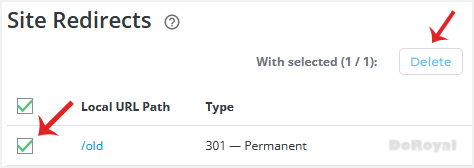
4. Click on Delete. Confirm with Delete again.
A redirect will be removed.